A cycle tracker that keeps your data to itself.
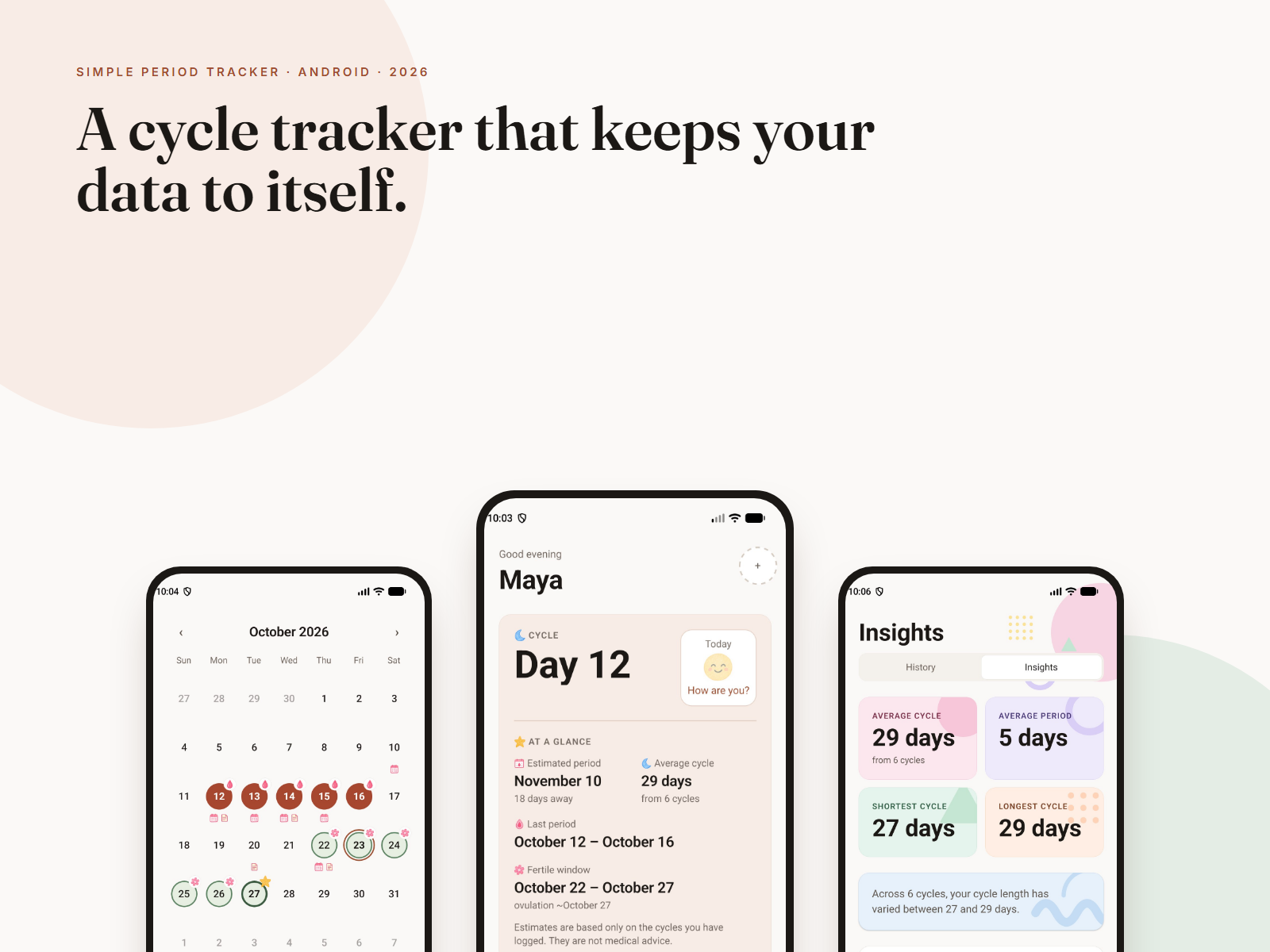
Simple Period Tracker is an offline-first period and cycle tracker for Android. There's no account and no backend, and nothing leaves the phone. It predicts only from the cycles you've actually logged, and it describes your data without diagnosing it.
Sensitive data, treated like ad inventory.
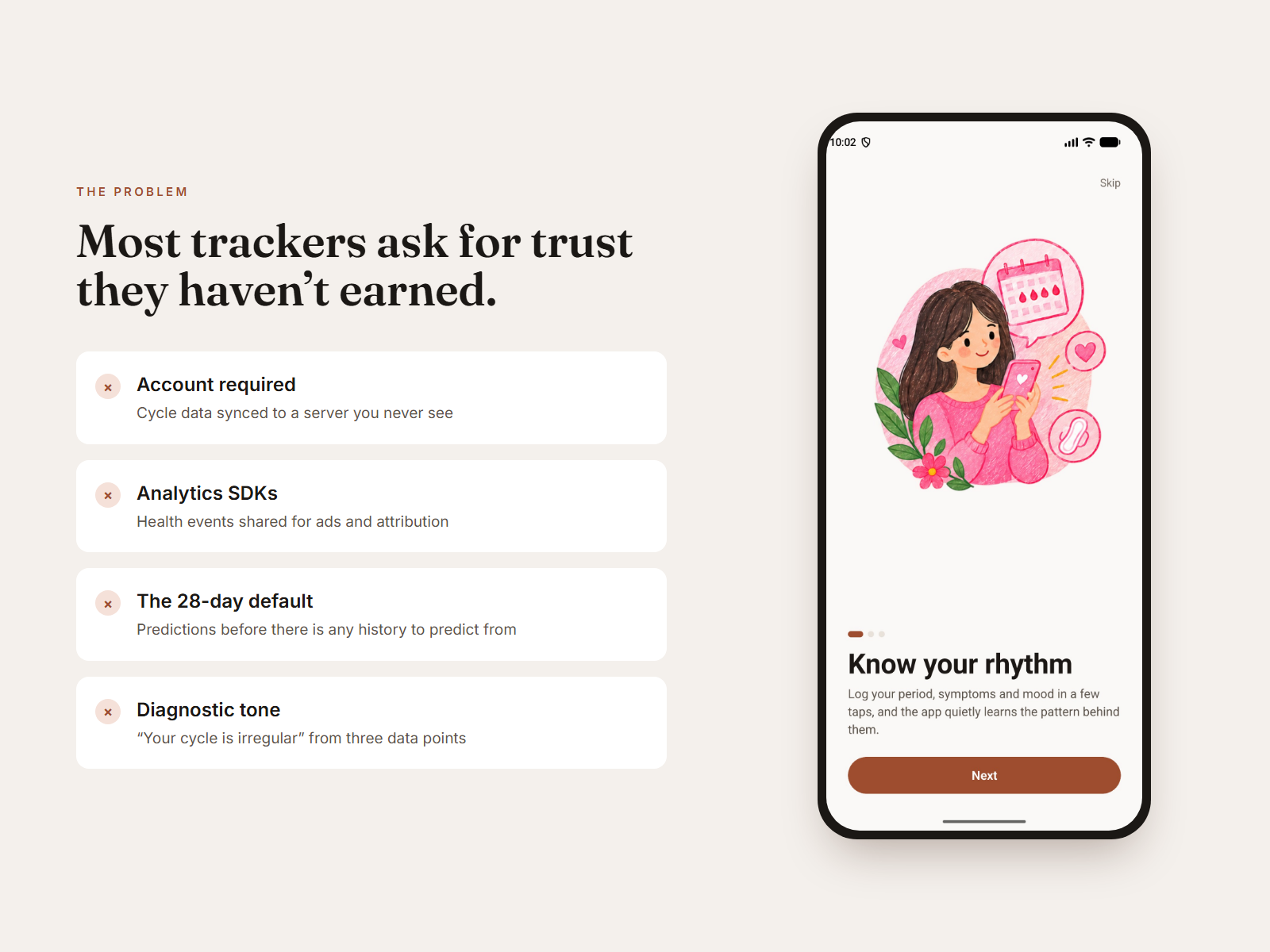
Period data is some of the most sensitive data a phone holds. Popular trackers often want an account first, sync to their own servers and ship analytics SDKs. Some have shared health events with advertising platforms. For many people, especially where reproductive health is politically charged, that's a real risk rather than an abstract one.
The products also get the maths and the tone wrong. Many show a confident 28-day prediction on day one, and some label a cycle "irregular" after three data points. That's medical-sounding language with nothing behind it.
What success looked like.
Four rules that settled most arguments early.
Private by construction
Privacy isn't a settings page. With no server, there's nothing to configure and nothing to breach. Export makes one JSON file and hands it to the share sheet. The user decides where it goes.
Honest about uncertainty
Every prediction is labelled "estimated" and says how many cycles it's based on. Until a cycle is complete, the app says "Keep tracking to improve predictions" instead of showing a textbook number.
Descriptive, never diagnostic
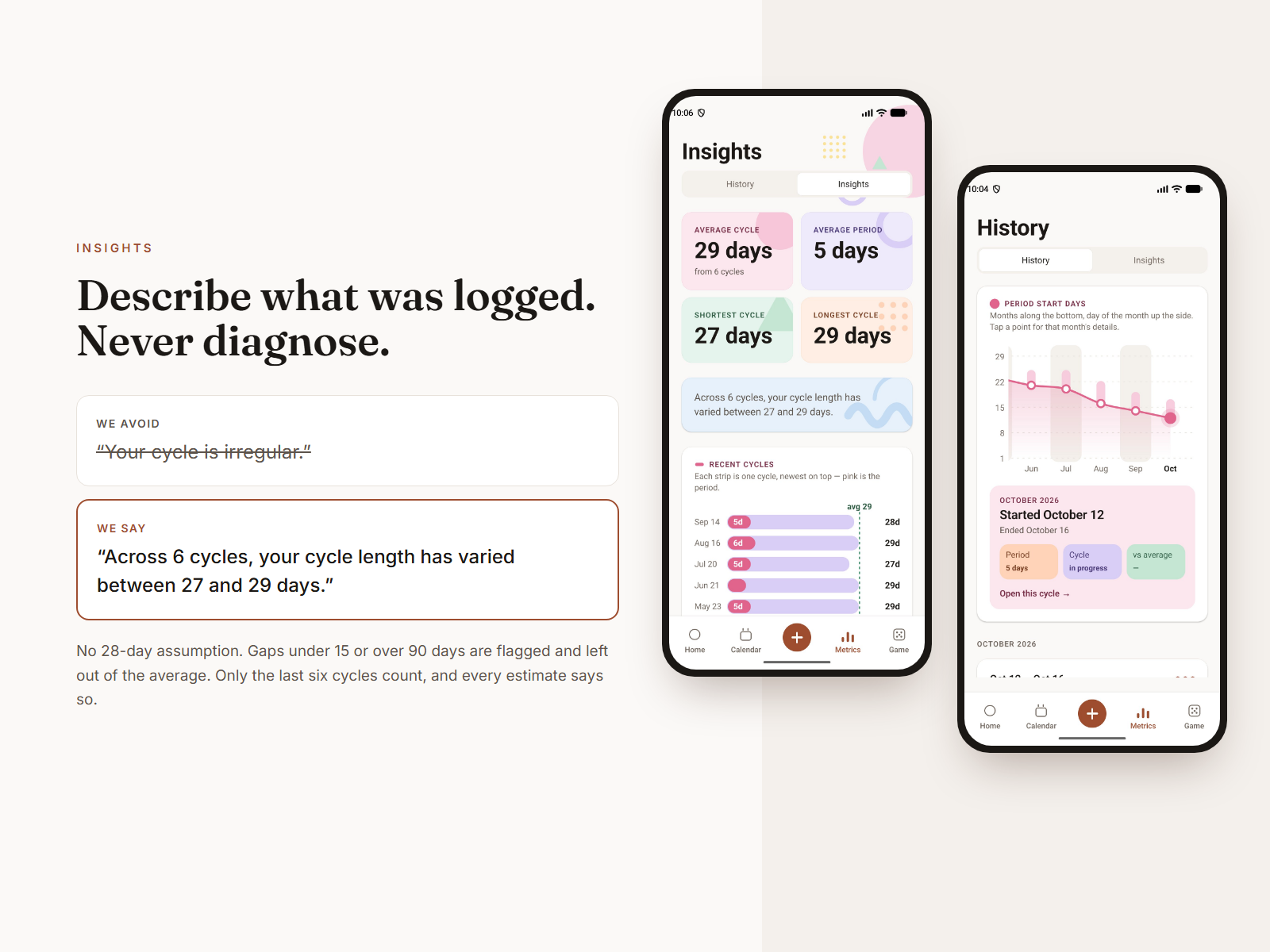
The app says "your cycle length has varied between 27 and 29 days", never "irregular". No symptom is ever connected to a condition.
Warm, not pink
The palette is a warm neutral with one muted terracotta accent, plus hand-drawn stickers. It feels personal without the clinical look or the pink stereotype.
Calls that shaped the app.
A calendar you can read in greyscale
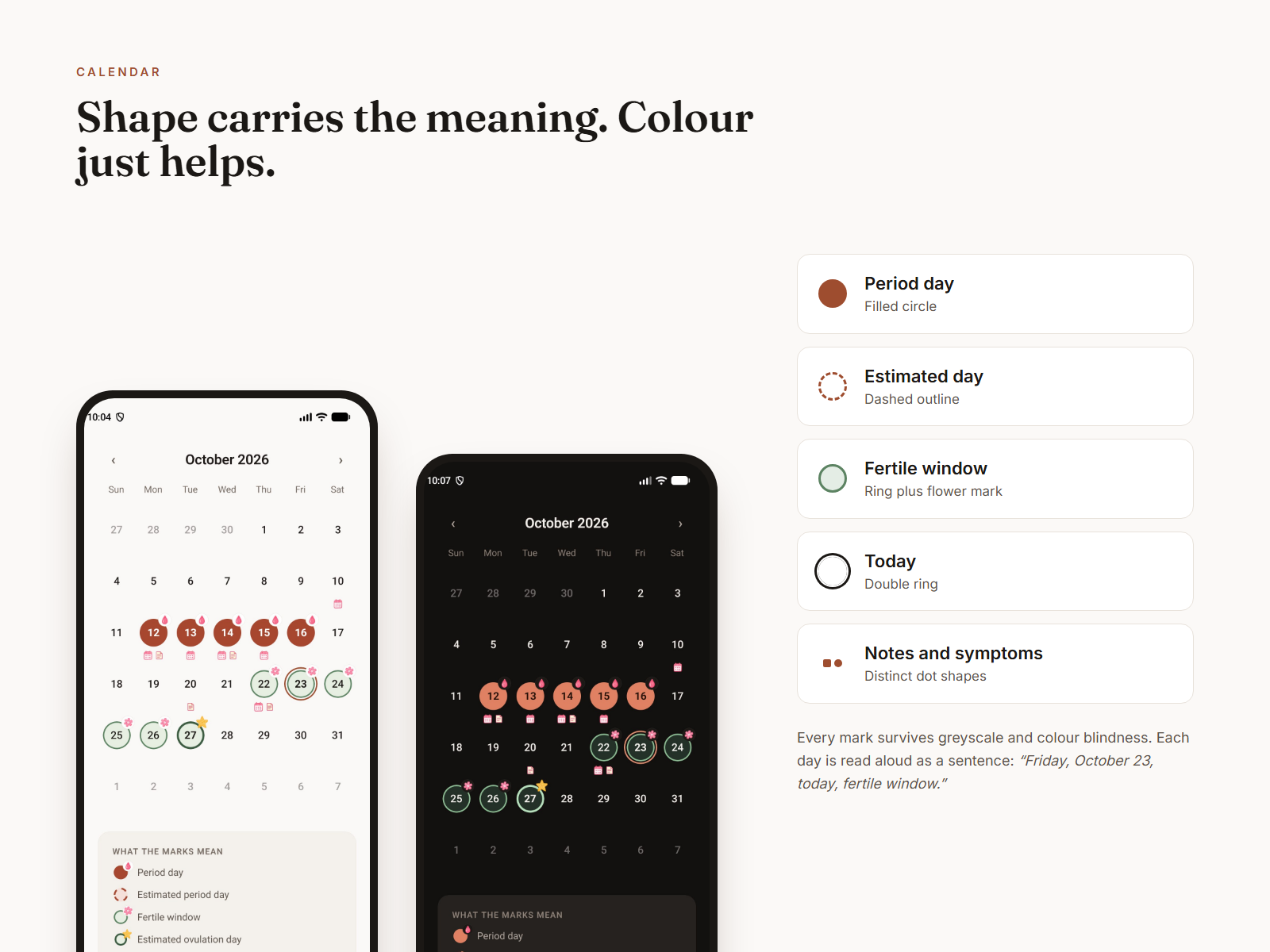
A period tracker's calendar usually stacks pink on lighter pink on another pink. Here, every state has a different shape. A period day is a filled circle, an estimated day is a dashed outline, the fertile window is a ring with a small flower, and today is a double ring. Notes and symptoms get their own dot shapes.
For screen reader users, each day is read as a full sentence, for example "Friday, October 23, today, fertile window, has a note". A legend sits under the grid, so nobody has to guess.
One day, one screen
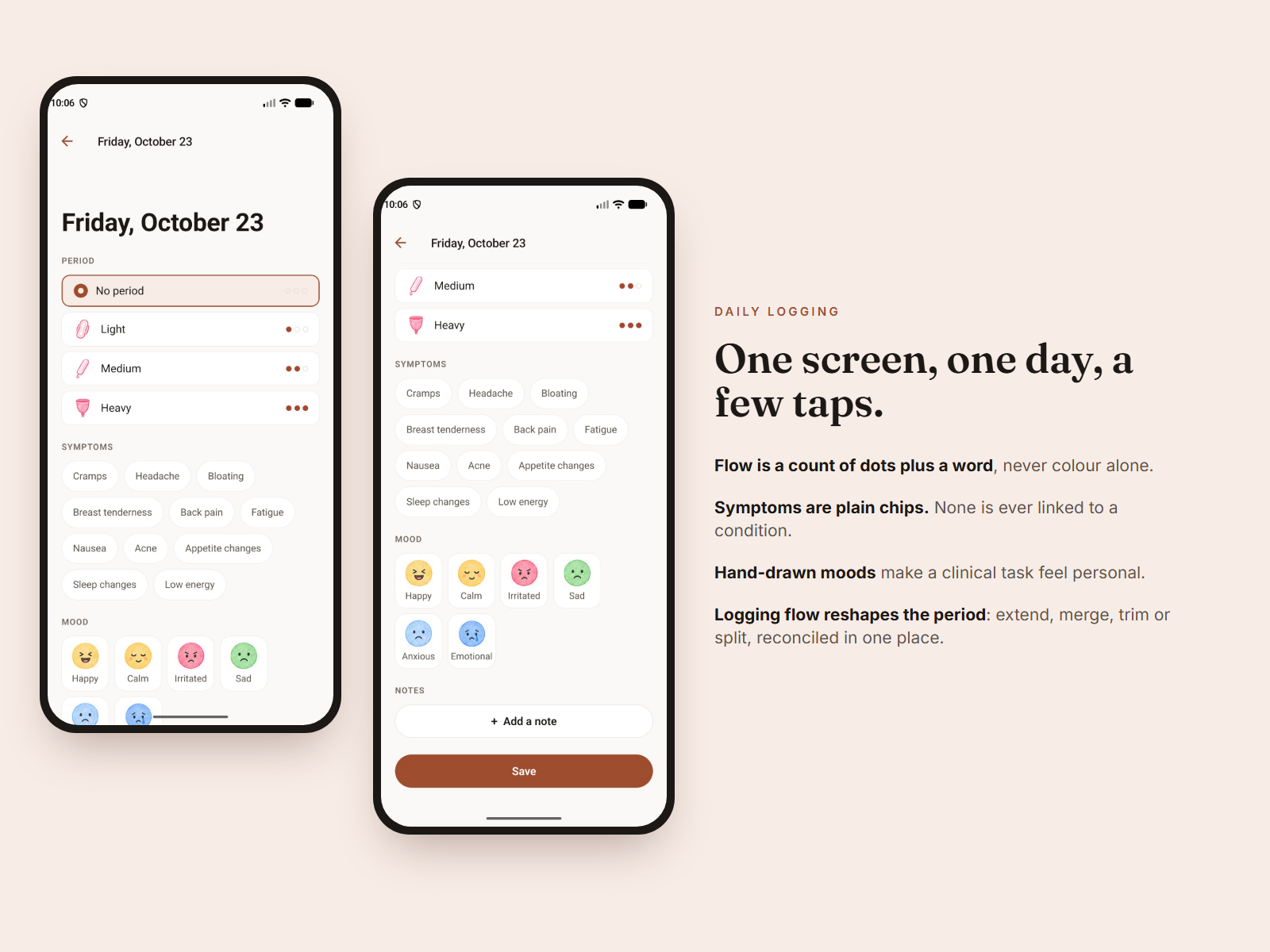
Logging needs to be quick or people stop doing it. Tapping "Log today" opens a single screen for flow, symptoms, mood and notes. Flow shows as a row of one to three dots plus a word, so it never depends on colour alone.
The hard part is invisible. Setting the flow on a day reshapes the period around it. Logging the day after a period extends it, and logging the gap between two periods merges them. Clearing a middle day splits a period in two. All of this goes through one function, so the calendar and History can't disagree.
Guard rail. One period per calendar month. When this month's period is already logged, the app says so and tells you when the next one can start.
Insights that don't pretend to be a doctor
Insights shows the average cycle, average period length, the shortest and longest cycles, a strip chart of recent cycles and the most-logged symptoms. Every number comes from the user's own entries.
- Only the last six cycles feed the average.
- Gaps under 15 or over 90 days, usually a missed log, are flagged and left out.
- A predicted end date appears only once the average period length is known.
- Confidence (low, medium or high) comes from how much history there is.
The charts are plain views with the number printed on each bar, so they need no charting library and work with screen readers.
Smaller calls that mattered
Permissions only when needed
Notification permission is asked for only when someone creates their first reminder, never at launch. If they decline, the reminder is still saved, and a plain sentence explains how to turn notifications on.
Private lock screen
Reminder text is hidden on the Android lock screen. A notification contains only the title the user typed and never any cycle data.
An import that can't surprise you
Every row is checked first; bad ones are skipped and counted. Then the user chooses to merge, which never overwrites anything, or replace, which is clearly marked as permanent.
A doodle garden
A small, optional colouring game with three chapters and calm music. It gives people a reason to open the app on days that aren't period days.
Uncapped font scaling
The whole app follows the system text size. Every touch target is at least 44pt.
Light by default
The app starts in light mode, with Dark and System in Profile. The dark palette was checked separately for contrast, not just inverted.
The architecture is part of the privacy story.
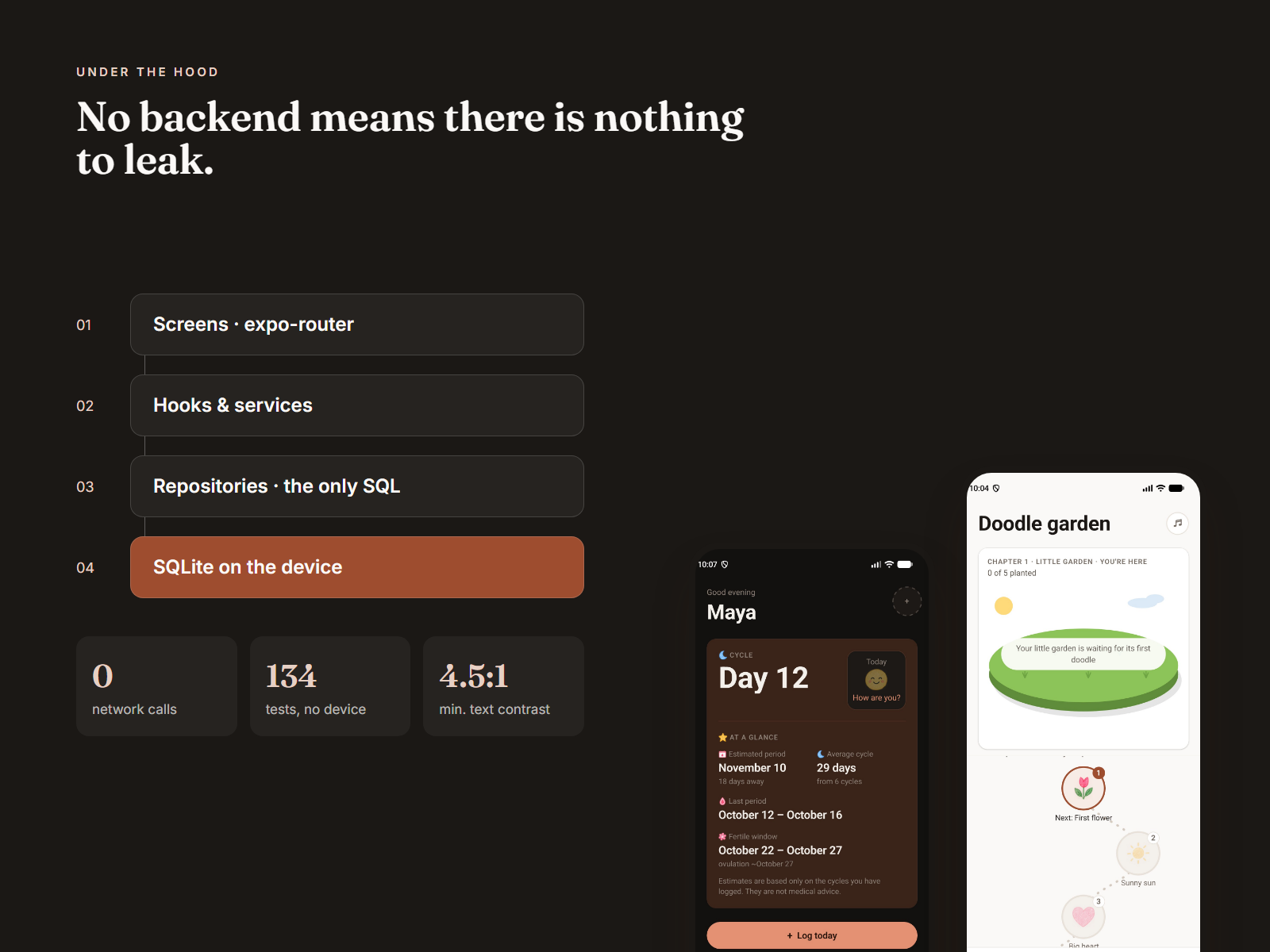
The app is built with Expo and React Native, with SQLite as the only source of truth. Dependencies point one way: screens use hooks and services, which call repositories, which write to SQLite. Screens never run SQL, and repositories don't know about React. There's no state library. A roughly 25-line change bus tells each hook when to re-run its query.
Every date is stored as a YYYY-MM-DD string and calculated in UTC. The tests run in Kathmandu (UTC+05:45) and New York, so any off-by-one or daylight-saving bug fails straight away.
| Deliberately left out | Why |
|---|---|
| Accounts and cloud sync | Data that never leaves the phone can't leak from a server. |
| Analytics on health data | The production logger is a no-op and never receives cycle, symptom or note content. |
| State management library | A second copy of the database would just be one more thing that could be wrong. |
| Charting and native date pickers | The date picker uses the calendar's own grid logic, so the two can't disagree about which day a date falls on. |
Where it landed.
Removing the backend made it easier to explain.
"Your data never leaves this device" is a claim users can check for themselves by turning on airplane mode. That's more convincing than any privacy policy. Choosing descriptive wording was a design decision and a safety decision at the same time.
On-device encryption
Optional, with a passcode or biometric unlock.
Encrypted backups
To a file the user picks.
iOS build
From the same codebase.
A diary study
With real users across several cycles.